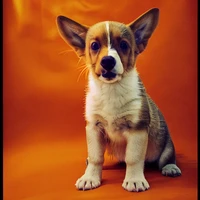
Instructions to use lora-library/wrestle with libraries, inference providers, notebooks, and local apps. Follow these links to get started.
- Libraries
- Diffusers
How to use lora-library/wrestle with Diffusers:
pip install -U diffusers transformers accelerate
import torch from diffusers import DiffusionPipeline # switch to "mps" for apple devices pipe = DiffusionPipeline.from_pretrained("stabilityai/stable-diffusion-v1-5-base", dtype=torch.bfloat16, device_map="cuda") pipe.load_lora_weights("lora-library/wrestle") prompt = "erwestle" image = pipe(prompt).images[0] - Notebooks
- Google Colab
- Kaggle
- Local Apps Settings
- Draw Things
- DiffusionBee
| accelerate launch train_dreambooth_lora.py --pretrained_model_name_or_path=stabilityai/stable-diffusion-v1-5-base --instance_data_dir=/home/user/app/training_data/wrestle --output_dir=/home/user/app/experiments/wrestle --instance_prompt="erwestle" --resolution=512 --train_batch_size=1 --gradient_accumulation_steps=1 --learning_rate=0.0001 --lr_scheduler=constant --lr_warmup_steps=0 --max_train_steps=2000 --checkpointing_steps=100 --validation_prompt="WANDB_API_KEY" --validation_epochs=100 --seed=0 --mixed_precision fp16 --use_8bit_adam |